FlightSense has always handled the training side of a flight: the lesson, the debrief, the record. But the flight itself lived somewhere else. The check-out happened on a clipboard or in another system, the squawk got texted to maintenance, and the weather call was a glance at an app on the way out the door. By the time it came back as a training record, half of it had been reconstructed from memory.
This release closes that gap. You can now run the whole flight in FlightSense, from the moment an aircraft is dispatched to the moment the log is created.
Dispatch a flight, start to finish
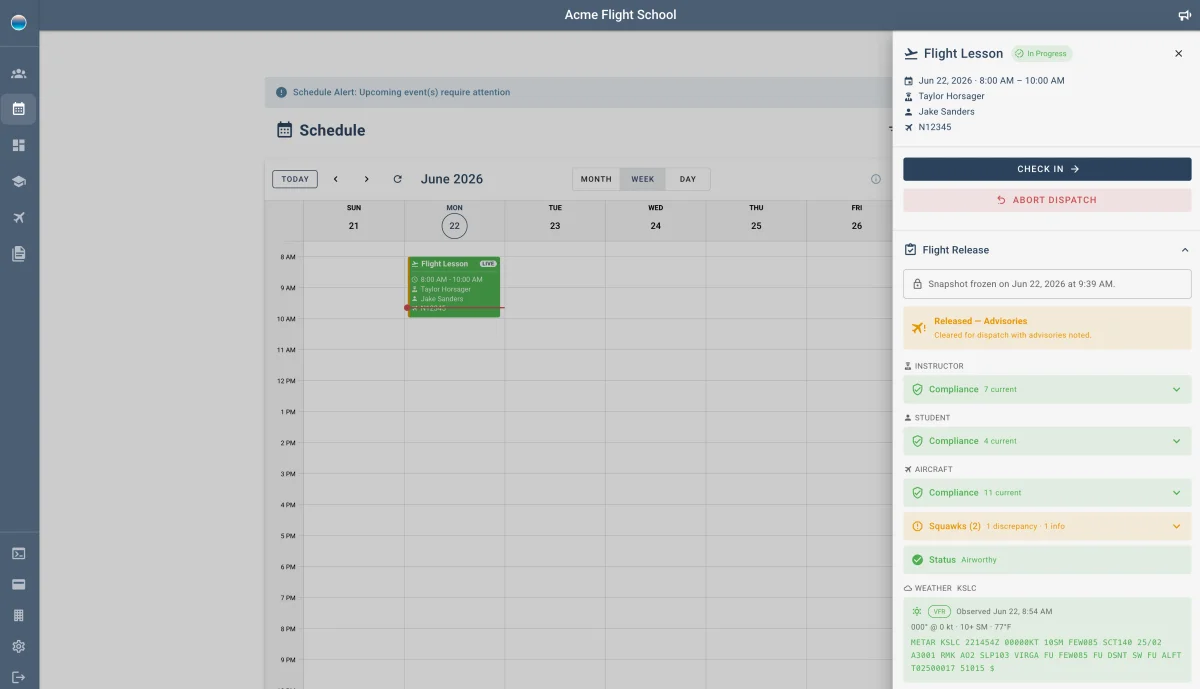
Click any scheduled event and a dispatch drawer opens. Check the aircraft out, fly, check it back in. The flight record builds from what you captured along the way.
- Check out captures Hobbs, tach, fuel state, and departure time. Meter values pre-fill so you're confirming, not re-typing.
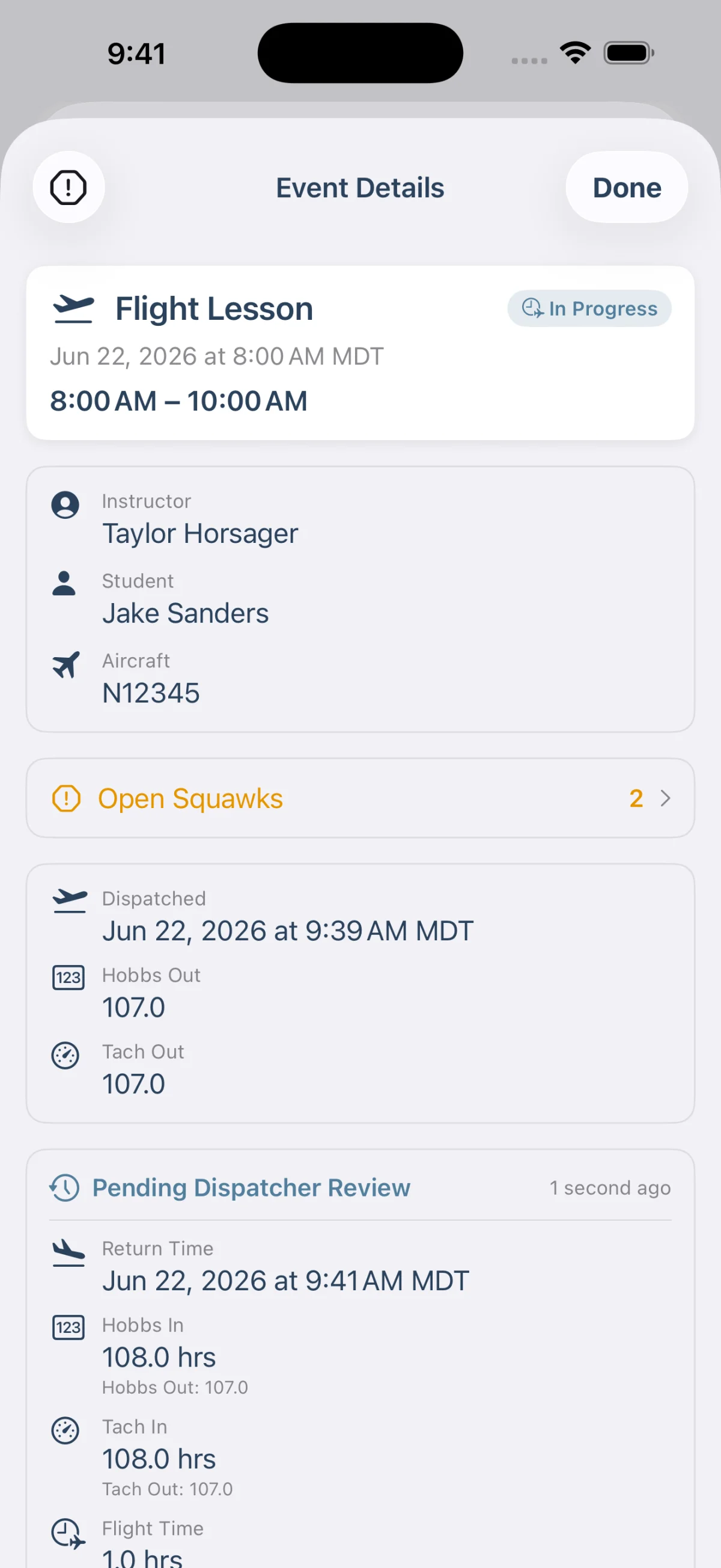
- Check in records the return: Hobbs and tach in, fuel, time, notes, and any squawks from the flight.
- The record builds itself. Once a flight returns, you have departure and return times, elapsed time, meter readings, and instruction hours in one place. No separate logging step.
- Returns from the field submitted on a student or instructor's mobile device come back as a prefilled card a dispatcher can review and finalize.
A go/no-go call before every flight
Before an aircraft goes out, FlightSense tells you one thing: are you clear to fly, and why.
- One answer, with the reasons behind it. You're either clear to fly or hard-blocked, with any advisories called out and the specific reason behind each, so nothing gets discovered after the event is already in the air.
- Hard stops stay hard. A grounded aircraft or a do-not-fly issue blocks check-out. A dispatcher with the right permission can override, but only with a recorded reason.
- Live weather, decoded. Current conditions for your home airport, color-coded by flight category, right where you make the call. Set the field once and it drives the lookup.
Maintenance and inspections, per aircraft
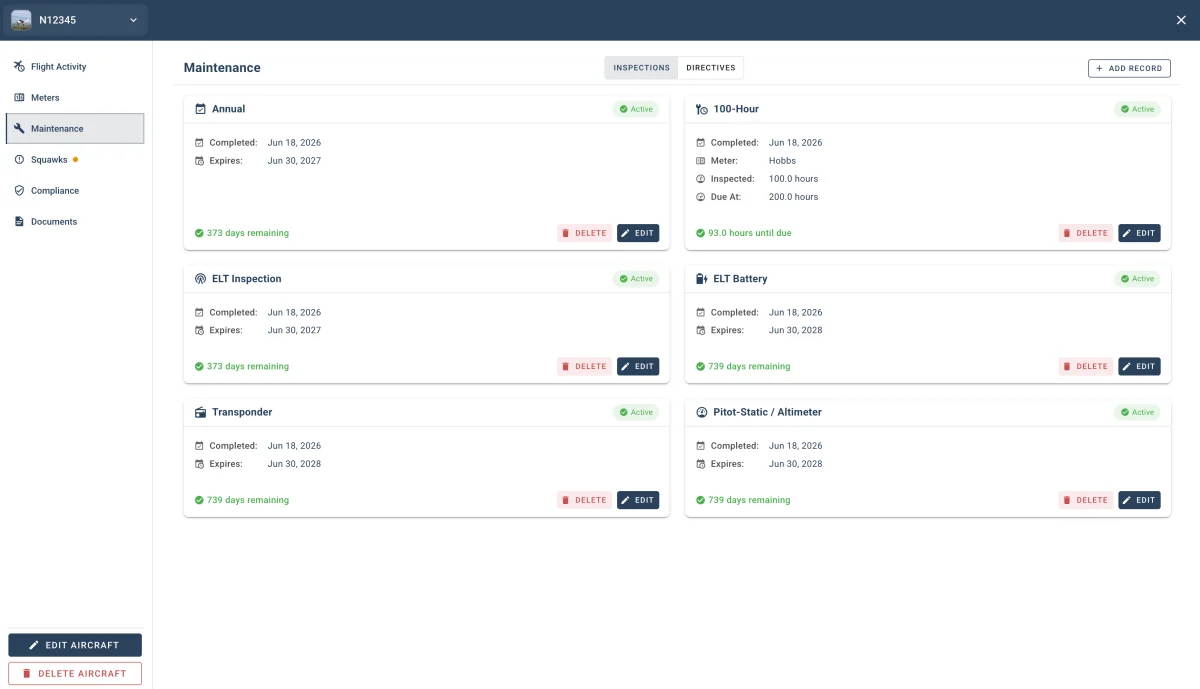
Inspection due dates, airworthiness directives, and ARROW records now live with each aircraft, and they flag before they lapse. Not after.
- Inspections for annual, 100-hour, transponder, pitot-static, and ELT, with a live countdown on the 100-hour computed from the meter log.
- ARROW documents (airworthiness, registration, radio station license, operating limitations, and weight and balance) as records you can add, replace, and track.
- Only what applies. A few checkboxes about how the aircraft is equipped and operated decide which inspections and records actually show up, so you're not staring at requirements that don't apply to your fleet.
File a squawk the moment you spot it
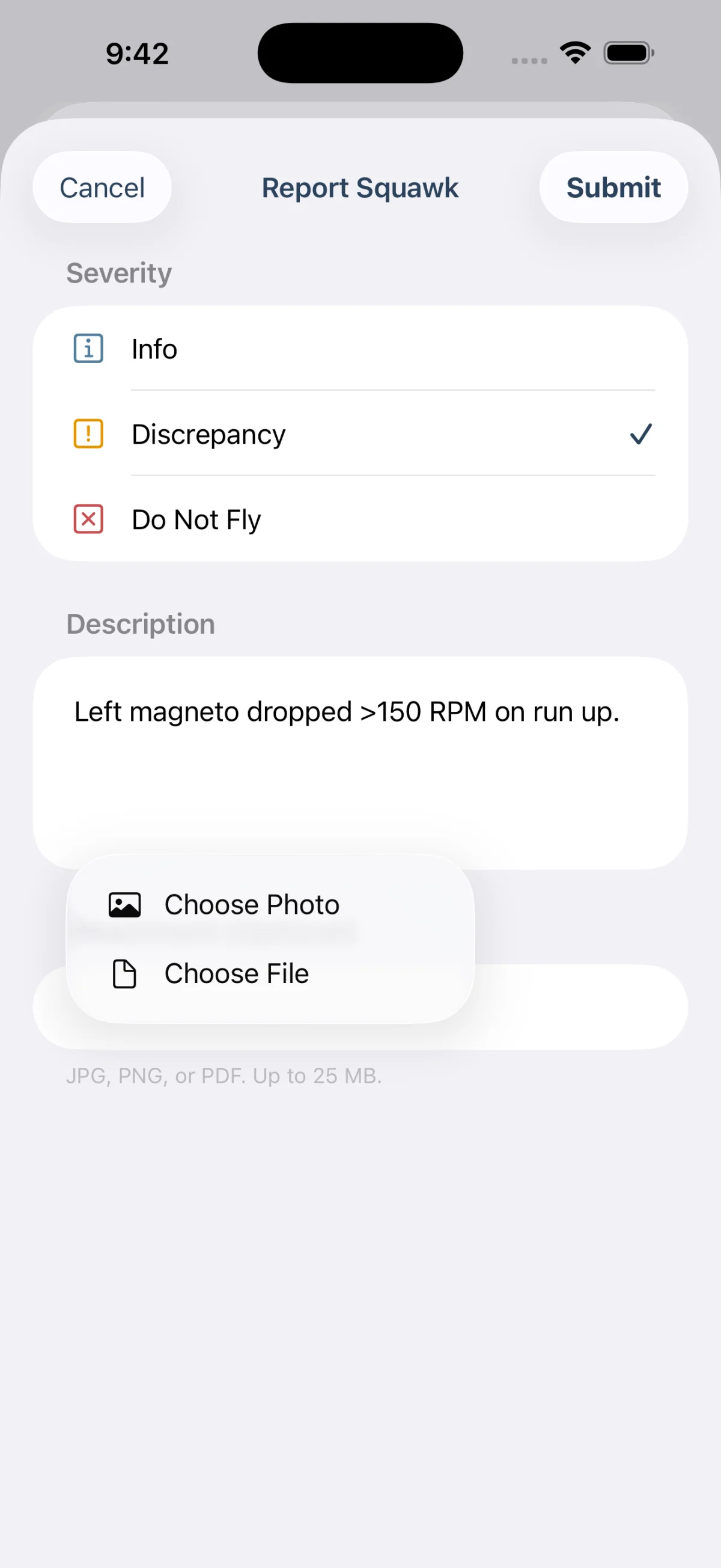
A discrepancy gets reported when it's noticed, not when someone remembers to write it down.
- Report from the flight you're on, with a photo, on the phone or at the desk.
- A clear lifecycle: open, acknowledged, resolved, with a record of who did what and when.
- Severity that does something. A do-not-fly squawk blocks dispatch until it's resolved, a hard stop on par with a grounded aircraft. Lower-severity ones surface as context without stopping the line.
Your schedule knows where every flight stands
The calendar isn't a static list of bookings anymore. It shows you the flight line as it actually is.
- Live card states (Scheduled, In Progress, Overdue, Completed, Not Flown) read straight from the dispatch record. Active flights pin to the top; an overdue one starts a ticking timer.
- Issues flag before you save. Grounded aircraft, compliance gaps, and open squawks surface on the event itself.
- Solo flights and check rides are now their own event types, on both the portal and the app.
Why this matters
A flight school's day was never spread across three tools because anyone wanted it that way. It was spread out because no one platform held the whole flight. Now one does. Because the record comes out of the flight instead of being rebuilt after it, what you end up with is accurate, not approximate.
It's the same platform a school's FAA principal inspector accepted as their Part 141 recordkeeping system. Now it runs the flight, too.
It's all live now. Open FlightSense and take a look at your next scheduled event.